Information and Updates

You can find me in eBay, where I have a small business selling computers.

I am starting a fresh business, and I have recently been selling Computers for a good price.


Sunday, March 27, 2011

The DarkC0d3r preparations #2


Header by Steven.


I was fiddling with Google Sketchup and created a model for the WindTunnel.

I have this 90degree cardboard back-bone in my room, dusty and neglected.
I made a model of this trimmed and with all the extras:


I will be placing 2 sheets of sheet metal on either side like so:


For attachment to the case I will do it via. the PCI slots at the back.
I'll get 2 pieces of scrap but rigid metal and screw it onto the back of the Windtunnel:


And I'll chuck in the screws/nuts shown in blue:


Okay now for the attachment technique.
I made some mock PCI slots at Sketchup, not really in scale but you guys will get the idea.


And with the Screws, etc etc.

Don't forget the grille at the top, as I said before, the air will be sucked through the backside and out the front/top. Some of the air sucked into the Windtunnel will be extracted through a square grille leading up to the RAM slots, cooling the RAM modules.

And the 80mm fan that goes with it:


That should work pretty well.
I'll add some extra fans at the side to take advantage of that side vent included in the ARESZE Darkcoder.


And I'll have a little "Darkc0d3r" logo or whatever on the side (printing out template, cutting out text and spray paint).

With some spicing up of the Logo and adding the extra 120mm fans, I conclude this update:

The Finished WindTunnel Preparations

I will be updating more often later on. I won't be doing any real stuff till next term, just preparation and gathering of money.

Stay tuned for more people.


Saturday, March 26, 2011

Monday, March 21, 2011

The Virus


ORIGIN:
The Virus has always been annoying and daunting for end users and the internet. It all started off with some people having fun and now it's run wild with everyone tempted to crack someone else's PC and cause anxiety.

But as the expansion of Viruses has gone wild so has the  recognition of viruses and the misconceptions of one.


MISUNDERSTANDING:
When a typical end user has their computer crash, ending up with a blue screen or shutting down, they will throw up their arms and scream to the heavens "It's a VIRUS" But not in all cases, most of the times these are HARDWARE PROBLEMS.


THE VIRUS ILLUSION
Most of the time the problems are:
  • CPU Fan errors: The CPU fan or heatsink fan (usually stock Intel, check out my older post on New Heatsinks) stops running, usually because of bearing/motor problems or it has stopped running at all. You can easily fix this by buying a new heatsink and installing it yourself, follow my guide in the "Air Cooling" post.
  • CPU/GPU overheating: The heatsink, as mentioned before has its fan busted, so it can't cool the heatsink anymore, and as a result the CPU goes over the limit. There is a TJ-Junction, which is the limit of a temperature which a CPU will withstand before telling the motherboard to close off all connections and shut down. Same for the graphics card, or GPU; except it won't shut the computer down but stop running itself, and the monitor will not show anything. This problem can be solved again with a new heatsink for the CPU and for the GPU try fixing it another way, I will talk about this some time.
  • Hardware Errors: Sometimes the hardware may become damaged over time, or your computer may have been handled roughly. Dropping your PC while transporting it will result sometimes in bending the motherboard, which may tear some crucial circuits and components and their tracks. This may result in faulty and bad connections with your separate hardware and may cause your computer to shutdown in a certain phase or not turn on at all. An easy fix, just install a new motherboard, which I will talk about in a later post.
  • Power Supply errors: The Powersupply is the most important bit of the computer, without its clean supply of power the PC won't run at all, well other people may think otherwise as the HDD stores all their money-earning files (and porno, admit it). Sometimes the Powersupply will cease to function over long periods of time and may become noisy, fans covered with dust and the components inside may wear away. With electricity flowing through it for long hours they will tend to deteriorate. But some may last for long times, in most cases people are using generic Powersupplies which will stop running with simple bumps and drops. Fixing this will result in a Powersupply switch, which I again will talk about later.
Well I hope you guys reading this have learnt that NOT EVERYTHING IS A VIRUS. I hate it when people around me moan about viruses when the CPU overheats.


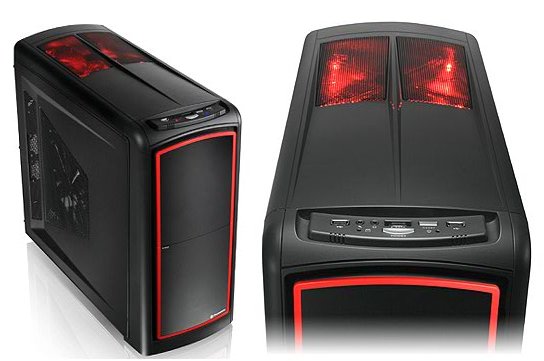
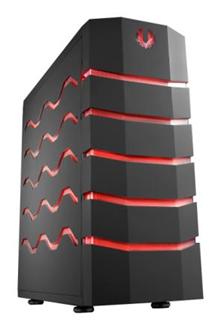
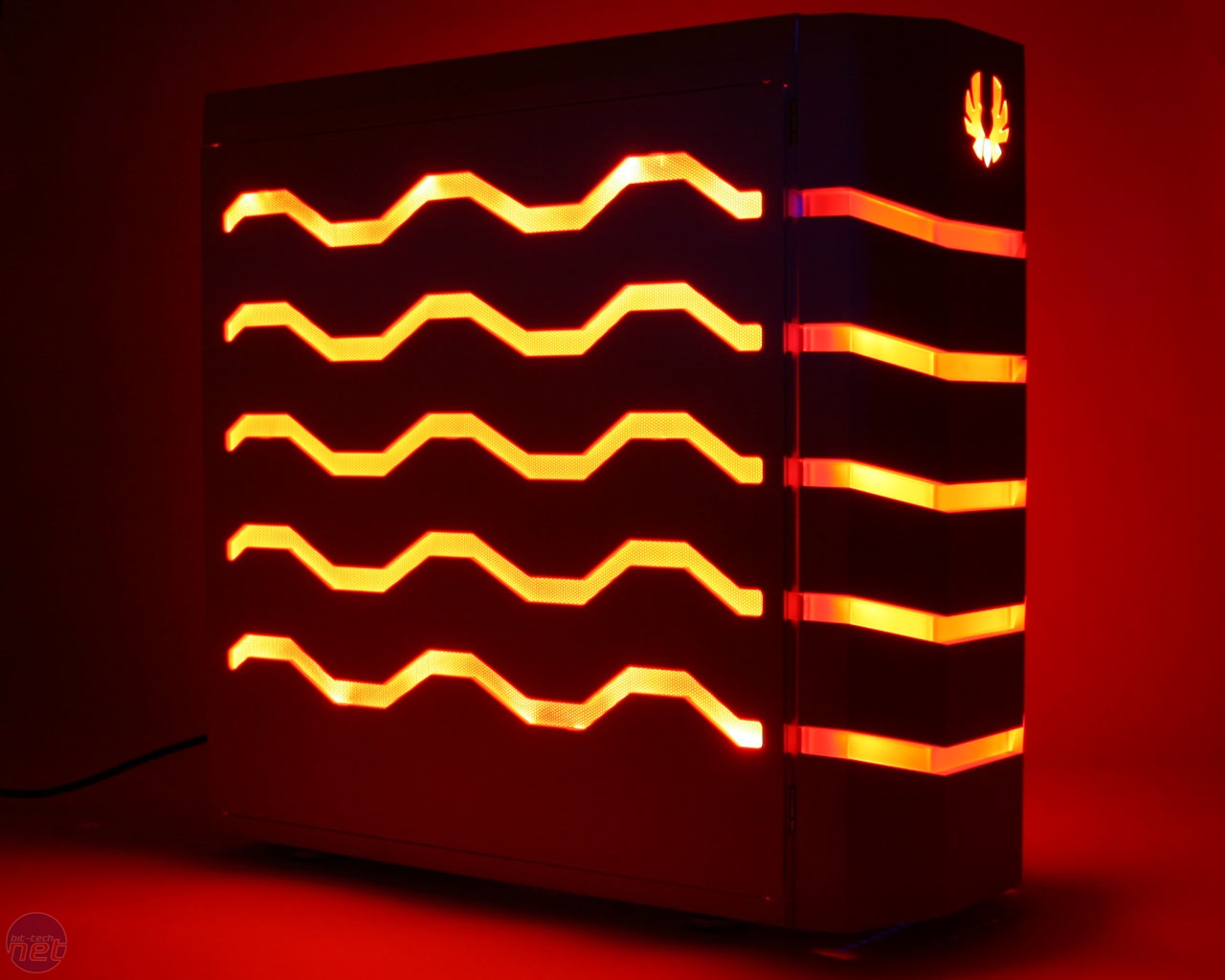
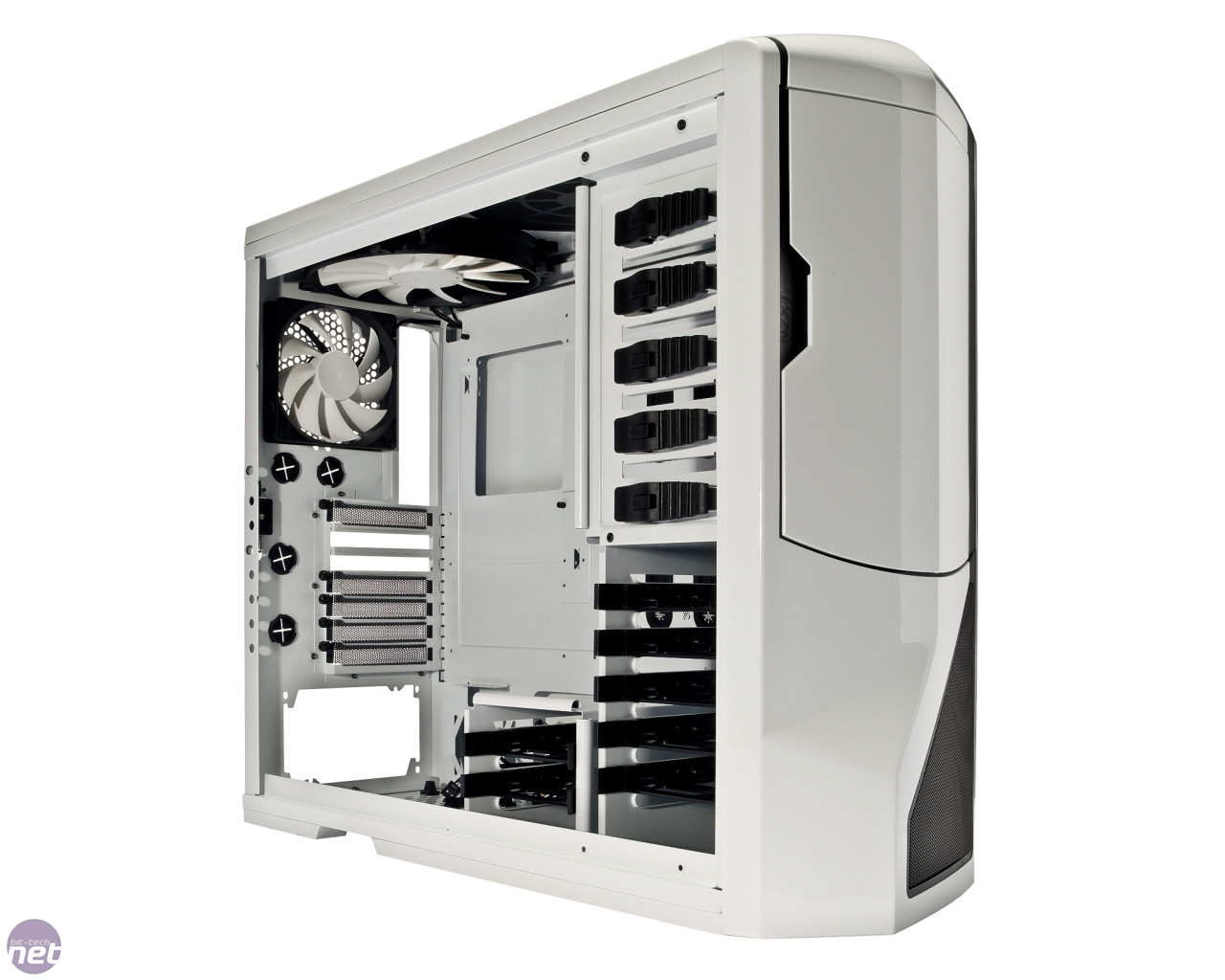
Killer Cases #1

Lian Li PC-80B

Coolermaster COSMOS S

NZXT Phantom

Sunday, March 20, 2011

The DarkC0d3r preparations #1

After thinking for a while I have ideas up for my new case mod, first of all it's called the DarkC0d3r, because it's called the Darkcoder. A rough plan for my idea:


Okay, here's my explanation. I will be cutting 2 primary cable management holes at the bottom area of the case, and using some old 'Welcome Home' rubber mats I will make some grommets like the ones in the Corsair Obsidian 800D.

I will replace the HDD caddies that come originally with the HDD bay I cut out from the CM Storm Scout.

As you can see there is a large slab of grey, that is the new Wind tunnel I am creating which will supply air mainly for the graphics card. It will be made out of Aluminium, a 90degree cardboard back support and screws onto the PCI backplates.


The green shapes represent the fans, the 2 at the top represent the 2 120mm fans and at the bottom there will be another 120mm blowing upwards. The 2 green round rectangles in that grey rectangle and the one to the right of them are 80mm fans, that will supply air for the Wind Tunnel and move air through the HDDs and out the front.

My airflow will be a little strange for this mod, the air will be flowing IN from the back, side and bottom, and out through the top and front, a little weird isn't it?


AIRFLOW: INTAKE                         
AIRFLOW: EXHAUST


Explaining the above, the air is moving up from the PSU fan, bottom mounted fan, through the back 120mm fan and into the dual 80mm fans in the Wind Tunnel.

The air is then propelled out above by the dual 120mm fans at the top, you can see some of the air escapes from the windtunnel, this is because a rectangular grille will be made right under the RAM slots, so then the top fans can draw the air through the RAM sticks and cool it down. The dual front 80mm fans will then bring the GPU air through the Harddrives and out the front.

So this is what I have so far.

I can get a 6 Pack of nice Coolermaster 80mm fans for just $19 over at PCCG:

A fantastic deal, especially for modding =)

But that's it for now, I will update later.

Friday, March 18, 2011

Nice case #1

                            ARESZE Darkcoder 7203B


Aresze is an Asian brand, released by a mother company named: Golden Field, sounds a little dodgy though we shouldn't judge things by their names. 

Showcased today is the Aresze Darkcoder 7203B, a pretty cool case for just $59 in Australia. Straight from the manufacturer's website:


Okay, this seems a little too good to be true. It seems to have almost everything needed and its looks are fantastic, but we could do without that front plastic I/O Panel, which ruins the plain mesh look.

That red and black looks delicious, those fan grilles look much better than what other case manufacturers offer. 

I'll be buying this case for a mod very soon, so you can see what it's actually like.

Here is the manufacturer's website:


Aresze
http://www.aresze.com/en/productview.asp?id=24


And here is the site for the Shop where I got the quote from:


PCDIY
https://www.pcdiy.com.au/product_info.phpc Path=164_215&products_id=12798


Wednesday, March 16, 2011

PC for a friend.

My friend has requested me to set up a small Computer Build for him, someone else had created him a 1.5k build, which I find useless and a complete waste of money as he does not use 1/2 of what that could offer.

This is to hover around the 1.1k margin.

Prices shown are Directly from PCCG, for its quality, but sadly expensive shipping, especially for cases :(

CPU: AMD Phenom 1055t $189 AMD Phenom II X6 1075T

AMD is renowned for being quite cheap and especially bang-for-buck, this 1055t six-core is the bigger brother of the 955 quad-core, the CPU that won many awards and recognition from many reviewers and enthusiasts. It will easily handle games and applications, even the demanding ones. These days games are heavily dependent on the Graphics Card, which should be expanded upon. The AMD Phenom 1055t offer great performance for its sub-$200 price.

Motherboard: Gigabyte MA-770t usb3 edition $109 Gigabyte GA-770T-USB3 Motherboard

The good old MA-770t, now packed with usb3 compatibility. The MA-770t is known for stability and quality, where its electrical components are of the same quality as the ones found in its higher end brothers. Costing just $110 dollars, it suffices the needs of my friend. You people may be thinking: "Hey, there's just ONE graphics card lane!" Well here's reality, chances are 88% of you people will never crossfire/SLI your graphics cards, one great graphics card is better than 2 together.

RAM: G-Skill Ripjaws F3, 7-7-7-21 timings model $75G.Skill Ripjaws F3-10666CL7D-4GBRH (2x2GB) DDR3

The beloved Ripjaws from G-Skill, starting from $100+ and now sell for sub-$100 prices, due to the massive DDR3 RAM price drop late last year. This model has tighter timings, looks great with its custom heat-spreader, and it pretty much does anything another 2x2GB DDR3 RAM kit, except at a more competitive price and looks.


Graphics Card: Gigabyte GTX460 overclocked $209Gigabyte GeForce GTX 460 1GB Overclocked

The Nvidia GTX460 is literally its most successful production last year and maybe this year for the $200 mark range for Graphics Cards. It is quiet, cool, is energy efficient and most importantly; powerful. This edition from Gigabyte is pre-overclocked, so you don't have to worry about doing it yourself/break the warranty in other words. Also with Gigabyte's windforce cooling, which is silent and does its job well.


Hard drive: Samsung F3 $69Samsung SpinPoint F3 1TB HD103SJ

Hard drive prices have gone through a massive price drop, and Samsung's F3 offering is no exception. Besides having a low price it is also fast, reviewed by review sites around the net.


Chassis: Coolermaster 690 II advanced $119CoolerMaster CM 690 II Advanced

The old edition was a popular case, recommended by people and various editions of it were released by Coolermaster, such as the CM 690 nvidia edition, and the CM 690 true black, my favorite. But just last year  Coolermaster went back to its drawing board and created a smack-on-the-spot case satisfying the needs of a normal gamer; the Coolermaster 690 II advanced. With a hell load of fan holes, it looks fantastic with its blue LEDs and mesh design. It can ably cool the parts listed without much noise.

Powersupply: Corsair TX-650 $119Corsair TX-650 Power Supply

When that words 'Corsair' is spoken millions of PC enthusiasts will turn their heads around to face you and instantaneously say 'Aye'. Corsair, quite a new but old company has been making quality products for a long time now, every section of the market it ventured, it succeeded. It was like Corsair had the Midas Touch, their PSU's are just of great quality, the TX series is aimed at mid-range PCs, where G, C and V are for the much lower end, though they never skimp on quality. This powersupply is dead silent and produces excellent and efficient power.


Optical Drive: Sony AD7240SGB 24X DVDRW $29 Sony AD7240SGB 24X SATA DVDRW OEM

Not much to say about this, most drives are the same and with Sony quality there isn't much more to ask for. Blu-ray isn't as widespread as DVDs at the moment, they are currently still mingling with the TV and Home Theatre section. There isn't much of a need for it right now.

EXTRAS                                                                                                     


CPU Cooling: Scythe Mugen2 rv.B $75 Scythe Mugen 2 Cooler Rev B

With plent of money left to spend I decided on an after market CPU heatsink. An efficient cooler, which is dead silent. What do you expect? It's made by Scythe. With its multi-separate tower style it is a great cooler, a bit heavy but worth it. 


I do not want to decide on the Peripherals (mouse + keyboard +monitor) because they are usually personal preference, but I can recommend the:

Logitech Mx518 $40 

Microsoft Sidewinder x4 $50

A 24" monitor, a budget one should cost $200.

So Peripherals add to $290 in total.

In total the ENTIRE PC will cost $1208 


Without the Peripherals this PC will cost $918, surprisingly cheap isn't it?


With $300 left as spare cash my friend could by McDonalds for breakfast for 2 months. If he is going to use his old mouse and keyboard this computer will cost $90 less, and using his current monitor it will cost $918, much cheaper and efficient than his proposed i5 2500k build which costs $1500.

Tuesday, March 15, 2011

Air cooling

Do you ever wonder why that noise inside that case is always irritating? Well this may be because you have a stock cooler, which is a HEATSINK:

This is used to remove heat from the CPU, where the fins spread out, expanding the surface area for heat to dissipate with the air, which is moved around with the Fan on top.

Intel Stock coolers are the MOST COMMON types of coolers out there, this is because users with no such knowledge do not know much about computers, or probably do not mind. Computer enthusiasts though, like myself do get itchy and picky about everything inside our PCs, even the heatsink.

Intel Stock coolers end up noisy, and clogged with dust, causing multiple problems such as higher temperatures and heat dump.

Most enthusiasts will recommend a new heatsink, especially when your current stock one is either noisy, clogged or both.

There are different form factors of Heatsinks, the most popular are:
In a tower heat sink, the metal rods are placed erect, perpendicular to the base, or the CPU. This is currently the most efficient way to cool a CPU with air. The horizontal lines are the fins, usually made of Aluminium, radiate the heat to the air.

Tower heatsinks can work both passively and with one or more fans (2 is usually the most, more than that is a waste of power and money).
Here is an example of a very efficient and cheap cooler, the Coolermaster Hyper TX3.


As you could see from the previous pictures, the heatsink has a fan attached on one face of the heatsink, where it is able to blow sufficient air through the aluminium fins. The orange, shiny rods which go through the multiple fins and up through the final fin at the top, ending with an angled/blunt point. These are metal rods made of Copper, copper is the most conductive metal which is money-wise (silver is best, but that would destroy your wallet).

Compatibility is also an issue with heatsinks. Different series of CPU's have different pin counts, sizes and obviously differ in speed. This leads to different sockets for motherboards.

So far the most common types of CPU socket holes for:


LGA775 - Pentium 4, Celeron, Core2 Duo, Core2 Quad, Core2 Extreme

LGA1156 - Pentium, Intel Core i5 7**, Intel Core i7 8**

LGA1366 - Intel Core i7 9**

LGA1155 - Intel Core i3 21**, Intel Core i5 24**, 25**, Intel Core i7 26**

LGA1155 is based on the new Sandy Bridge CPU architecture, it is quite new and prices are still quite high. It is a great leap from the previous LGA1366 technology, offering similar performance for cheaper.

AM2/AM2+

AM3 - AMD Phenom x6, AMD Phenom x4, AMD Athlon 


Aircooling Heatsinks are attached with brackets, which will fit at the back and the front of the motherboard, here is a bracket for the back of an Intel P45chip/ LGA775 motherboard.


Your type of motherboard will depend, doing some research on your motherboard will allow you to fit in a fresh new heatsink. 

**NOTE**
If you have a pre-built computer from companies such as DELL, do not open up the PC case, as it will void the warranty. This is why building PCs is great, you can modify, change and tamper with your very own PC anytime, if you know what to do.

The heatsink will have a bracket, or adapter which will comfortably seat the heatsink on top of the heatsink, while holding it firmly in place usually with screws that go through the holes on the motherboard, which are laid out like so:

This is an image of a Heatsink bracket on a 1366 motherboard, the yellow circles surround the Heatsink holes, where the brackets are to be placed on. 

Before you buy a Heatsink you must always check for compatibility with your motherboard. Own research is always useful. One way you can check is to look for what type of CPU you have, which can be verified by downloading a program called CPU-Z


After installing the program and running it, it will show you what model of a CPU you have, and it will also show you what type, if it is Intel it will say for example: "LGA1156" which you will find if you search around its user friendly platform.

Heatsinks are quite cheap around, if you find the right ones which will be useful. Other Computer shops trick their customers into thinking that something does not work when there is too much noise, or when the heatsink; clogged with dust overheats and causes the PC to shut down, they will say 'your hardware is faulty'.

Defend yourself from tricks and learn to D.I.Y


The Coolermaster Hyper Tx3 can be bought for around $30.

A great shop is PCCG, whom have great customer service and offer great prices. They sell this for $25